Field move controls
Purpose
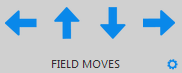
|
Click the Field Moves arrows to view a different area of an image. |
Procedure
Moving to a different field of view
To move to a different field of view, do one of the following:
-
Click any of the Field Moves arrows in the ribbon.
-
Use the arrow keys on the keyboard.
Adjusting the distance moved with each click of the arrows
You can change the movement distance of the Field Moves arrows in
-
Access Field movement preferences using one of the following methods:
-
 Click the cog icon near the Field Moves arrows to open preferences for AutoMove and Field Movement.
 -
Go to File > Preferences > Movement > Automove and Field Movement.
-
-
Change the Field movement size by changing one of the following:
-
% of screen size: Enter a percentage of the main window.
-
User specified (µm): Enter specific distances for movements in X and Y.
-